Drop Mechanism
Overview
The drop mechanism enables remote-controlled payload release during flight. The system uses a servo motor controlled via the RC transmitter (AUX8 channel) and communicates with the INAV flight controller via the MSP protocol.
Photos
Current Photo
 Placeholder: Insert current photo of the drop mechanism here
3D Model
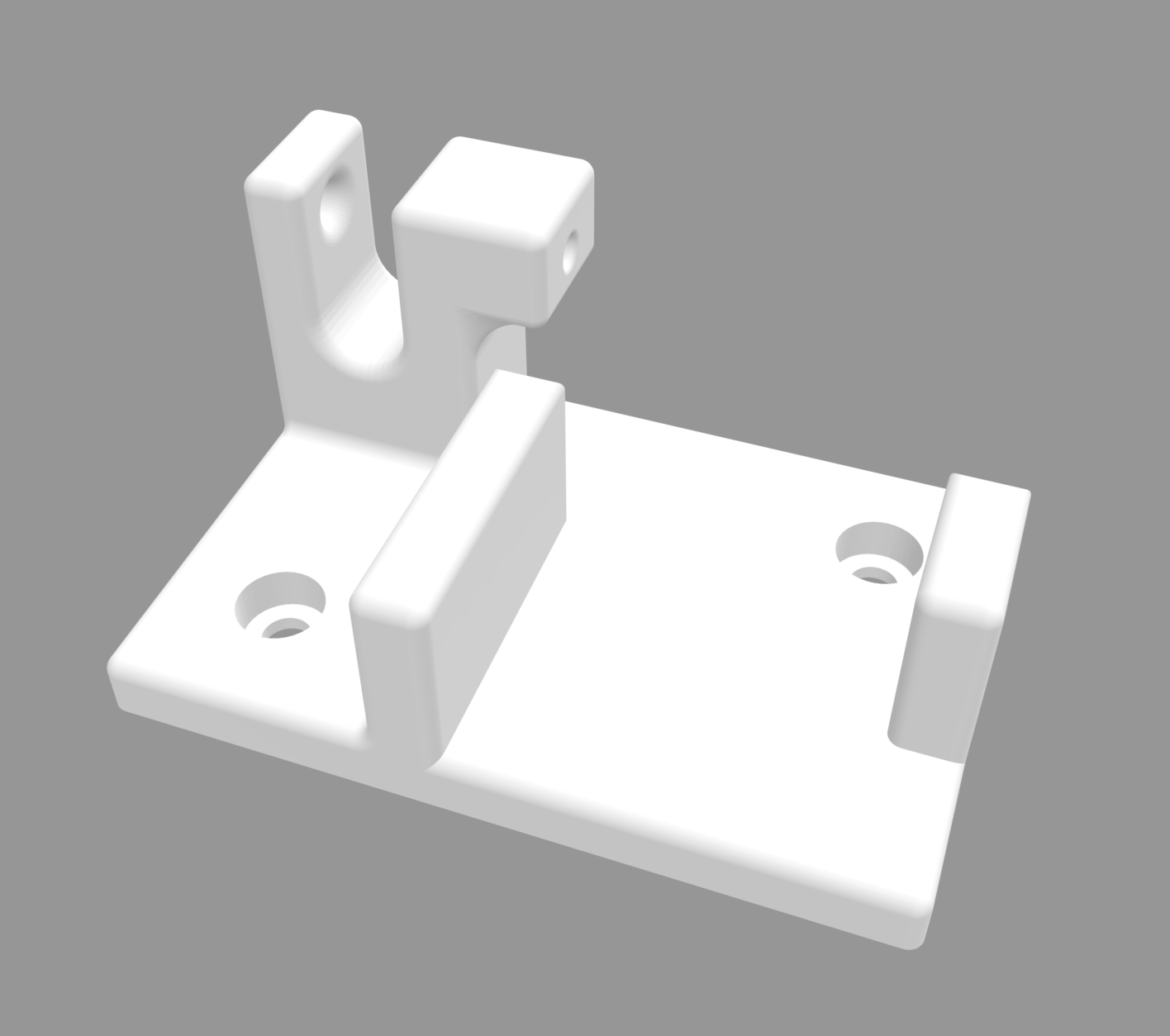 Placeholder: Insert 3D model of the drop mechanism here
Components
| Component | Specification | Purpose |
|---|---|---|
| Servo Motor | Standard Servo (e.g., SG90/MG90S) | Mechanical actuation |
| Raspberry Pi | Pi Zero 2 WH | Control logic |
| GPIO Pin | Pin 18 (BCM) | PWM signal for servo |
| Flight Controller | INAV-compatible | RC channel transmission |
| UART Connection | /dev/ttyS0 @ 115200 Baud | MSP communication |
How It Works
System Architecture
┌─────────────────────────────────────────────────────────────┐
│                     RC Transmitter (Remote Control)         │
│                         AUX8 Switch                         │
└──────────────────────────┬──────────────────────────────────┘
                           │ RC Signal
                           ▼
┌─────────────────────────────────────────────────────────────┐
│                   ELRS Receiver                             │
└──────────────────────────┬──────────────────────────────────┘
                           │
                           ▼
┌─────────────────────────────────────────────────────────────┐
│               INAV Flight Controller                        │
│                  (MSP Protocol)                             │
└──────────────────────────┬──────────────────────────────────┘
                           │ UART (ttyS0)
                           ▼
┌─────────────────────────────────────────────────────────────┐
│                  Raspberry Pi Zero 2                        │
│              drop-mechanism.py Script                       │
│                                                             │
│  1. Reads RC channels via MSP                               │
│  2. Monitors AUX8 value                                     │
│  3. Toggles on button release                               │
└──────────────────────────┬──────────────────────────────────┘
                           │ GPIO 18 (PWM)
                           ▼
┌─────────────────────────────────────────────────────────────┐
│                    Servo Motor                              │
│           OPEN (180°) ←→ CLOSED (0°)                        │
└─────────────────────────────────────────────────────────────┘
Control Logic
The system uses a toggle-on-release logic for the AUX8 switch:
- Button press: No action (status display only)
- Button release: Servo changes position
- Was CLOSED → becomes OPEN (180°)
- Was OPEN → becomes CLOSED (0°)
This logic prevents accidental multiple triggers.
Configuration
Servo Settings
SERVO_PIN = 18              # GPIO Pin (BCM numbering)
SERVO_OPEN_ANGLE = 180      # Open position (left)
SERVO_CLOSED_ANGLE = 0      # Closed position (right)
Communication Parameters
SERIAL_PORT = '/dev/ttyS0'  # UART Port
BAUD_RATE = 115200          # Baud rate
AUX_CHANNEL_INDEX = 8       # AUX8 channel (0-based)
TRIGGER_VALUE = 1000        # PWM threshold (<1000 = pressed)
Wiring
Servo Connection
Raspberry Pi                 Servo
─────────────               ─────────
GPIO 18 (Pin 12) ──────────→ Signal (Orange/Yellow)
5V (Pin 2 or 4) ──────────→ VCC (Red)
GND (Pin 6) ──────────────→ GND (Brown/Black)
UART Connection to Flight Controller
Raspberry Pi                 Flight Controller
─────────────               ─────────────────
TX (GPIO 14) ──────────────→ RX (UART)
RX (GPIO 15) ←──────────────  TX (UART)
GND ───────────────────────→ GND
Installation
Prerequisites
# Install Python packages
pip3 install pyserial RPi.GPIO
Copy Script
The drop-mechanism.py script is located in the project root directory:
# Make script executable
chmod +x drop-mechanism.py

# Start script
python3 drop-mechanism.py
Set Up Autostart (optional)
# Create systemd service
sudo nano /etc/systemd/system/drop-mechanism.service
Service file content:
[Unit]
Description=Drop Mechanism Control
After=multi-user.target

[Service]
Type=simple
ExecStart=/usr/bin/python3 /home/pi/drop-mechanism.py
Restart=always
User=pi

[Install]
WantedBy=multi-user.target
Enable:
sudo systemctl enable drop-mechanism.service
sudo systemctl start drop-mechanism.service
Usage
Manual Control
- Start script:
python3 drop-mechanism.py - Monitor status: Terminal shows current state
- Activate AUX8: Press and release switch on RC transmitter
- Servo responds: Toggles between OPEN and CLOSED
Terminal Output
✅ Serial: /dev/ttyS0
🔒 Servo CLOSED | Waiting for button...
🎮 AUX Button pressed=ON → release=TOGGLE
AUX:1500 🔴 RELEASED | Servo: 🔒 CLOSED

🔄 Button released! AUX:1500 → Toggle...
   → OPENING (LEFT)
AUX:1500 🔴 RELEASED | Servo: 🔓 OPEN
Code Explanation
MSP Protocol
The script uses the MSP (MultiWii Serial Protocol) to communicate with the flight controller:
MSP_RC_REQUEST = b'$M<\x00\x69\x69'

def get_rc_channels():
    ser.write(MSP_RC_REQUEST)
    header = ser.read(5)
    if header[:3] != b'$M>': return None
    size = header[3]
    payload = ser.read(size)
    count = size // 2
    return struct.unpack('<' + 'H'*count, payload)
PWM Calculation
The servo position is controlled via duty cycle:
def set_servo_angle(angle):
    duty = 2 + (angle / 18)  # Converts angle to duty cycle
    pwm.ChangeDutyCycle(duty)
    time.sleep(0.5)          # Wait time for servo movement
    pwm.ChangeDutyCycle(0)   # Stop PWM (prevents jitter)
Troubleshooting
Common Problems
Problem: Serial error at startup
- Check UART connection
- Make sure
/dev/ttyS0is available - Check baud rate setting in flight controller
Problem: Servo does not respond
- Check GPIO wiring
- Check 5V power supply for servo
- Test servo separately with simple PWM script
Problem: AUX channel shows no change
- Check AUX8 assignment in RC transmitter
- Make sure MSP is enabled in flight controller
- Check UART port configuration in INAV
Problem: Servo jitters
- Increase
time.sleep()value inset_servo_angle() - Check power supply (too weak?)
- Use separate BEC for servo
Safety Notes
⚠️ Important Safety Notes:
- Test before flight: Always test on the ground before using the mechanism in flight
- Secure payload: Ensure the payload does not release accidentally
- Check flight area: Only use in permitted areas and with appropriate authorization
- Fail-safe: On signal loss, the servo remains in its last position
Customization Options
Different Servo Angles
# Example: Smaller opening angle
SERVO_OPEN_ANGLE = 90       # Only open to 90°
SERVO_CLOSED_ANGLE = 0
Different AUX Channel
# Example: Use AUX5 instead of AUX8
AUX_CHANNEL_INDEX = 4       # 0-based: AUX5 = Index 4
Inverted Logic
# Trigger on high value instead of low
TRIGGER_VALUE = 1500
button_pressed = (aux_value > TRIGGER_VALUE)  # > instead of <
Next Steps
After setting up the drop mechanism:
| ← Back to Hardware Setup | Next: Software Installation → |